Tabs and groups
See open windows, pinned tabs and named groups together. Move through the workspace without losing its structure.
 OddWorks
Organise, back up, recover and sync your tabs, groups and bookmarks across devices.
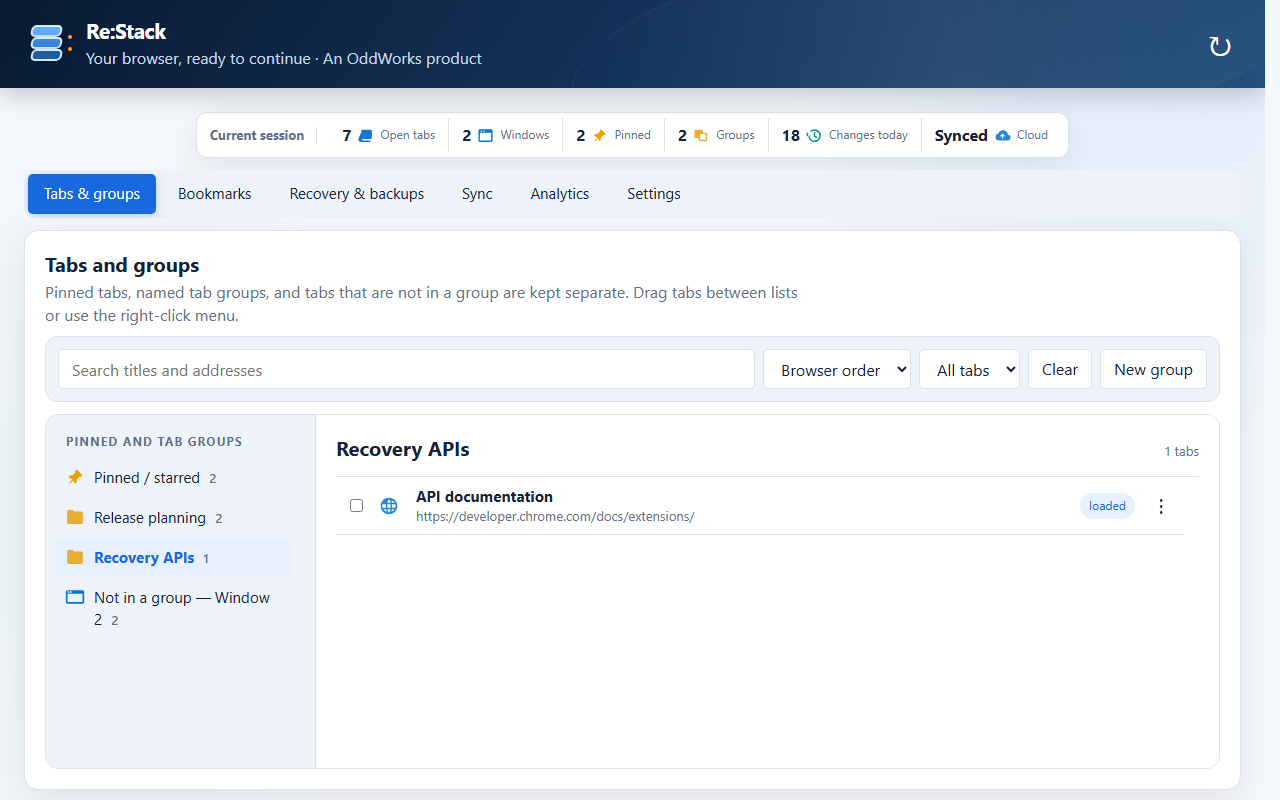
One workspace manager
Re:Stack makes browser continuity visible and manageable instead of leaving recovery to chance.
See open windows, pinned tabs and named groups together. Move through the workspace without losing its structure.
Keep frequently used pages easy to identify and reopen across a busy browser session.
Use the latest automatic recovery point or create named backups before a risky change, restart or clean-up.
Organise bookmark folders with search, sorting and familiar tree-and-content navigation.
Export encrypted workspace data and configure optional synchronisation when you want continuity between devices.
Restore large sessions deliberately so continuity does not have to mean loading every page at once.
Privacy is product behaviour
Re:Stack operates locally by default. Cloud synchronisation is optional, continuity data is designed to be encrypted before transfer, and OddWorks does not sell browsing information.
Read the full privacy policy →
Release preparation
The first public listing is being prepared now. This page will link directly to the verified Chrome Web Store listing when it is available.